← back
voice trainer (2026)
I built this to train my own pitch and resonance. It listens while you talk freely, not only while you read a set passage, and shows your pitch and resonance as you speak. I’m making it public so anyone can try it.
A small disclaimer: it’s not a perfect app in accuracy. The resonance number is an estimate worked out from your voice, so it won’t match other tools exactly. I mostly made it for my own practice and just wanted to share it.
what it does
- Shows a live dot on a pitch × resonance chart while you talk, plus a 30-second timeline.
- Records clips and tracks your progress over time.
- Analyses recordings you already have: drop in an audio or video file.
- Can listen to another browser tab, like a video, to see someone else’s pitch and resonance (Chrome).
- Lets you set a goal zone to aim for.
- Everything stays on your computer. Nothing is uploaded anywhere.
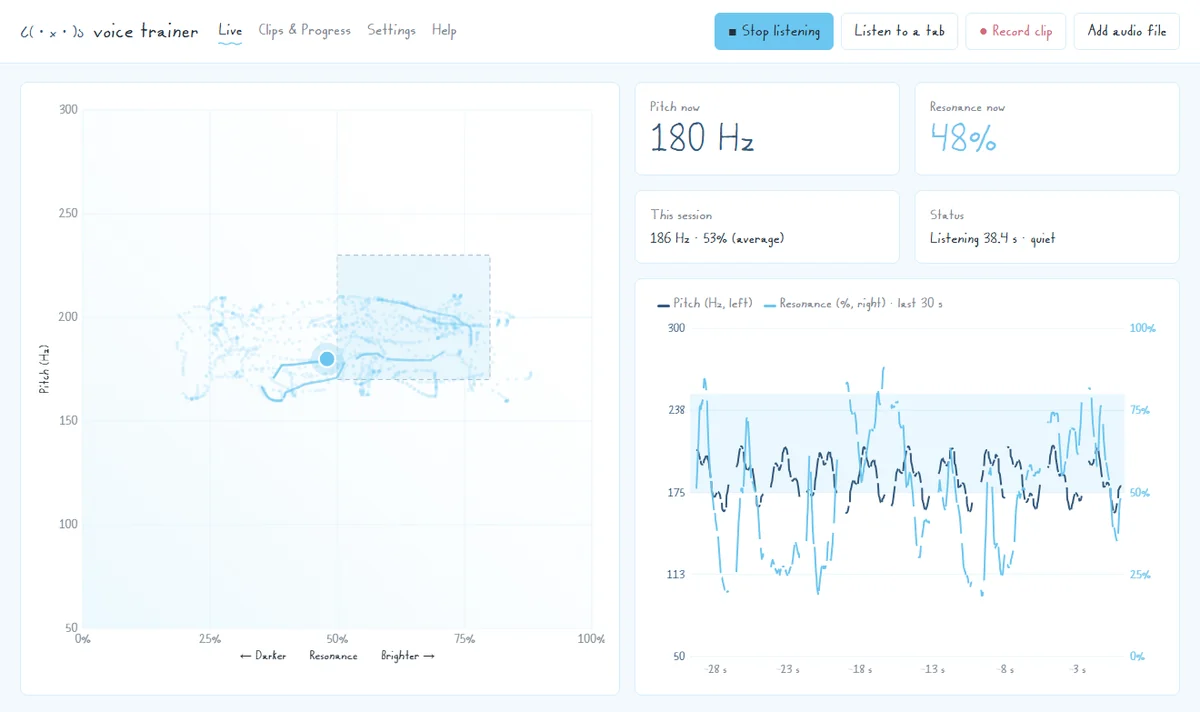 The live view: the dot moves as you talk, and the timeline shows the last 30 seconds.
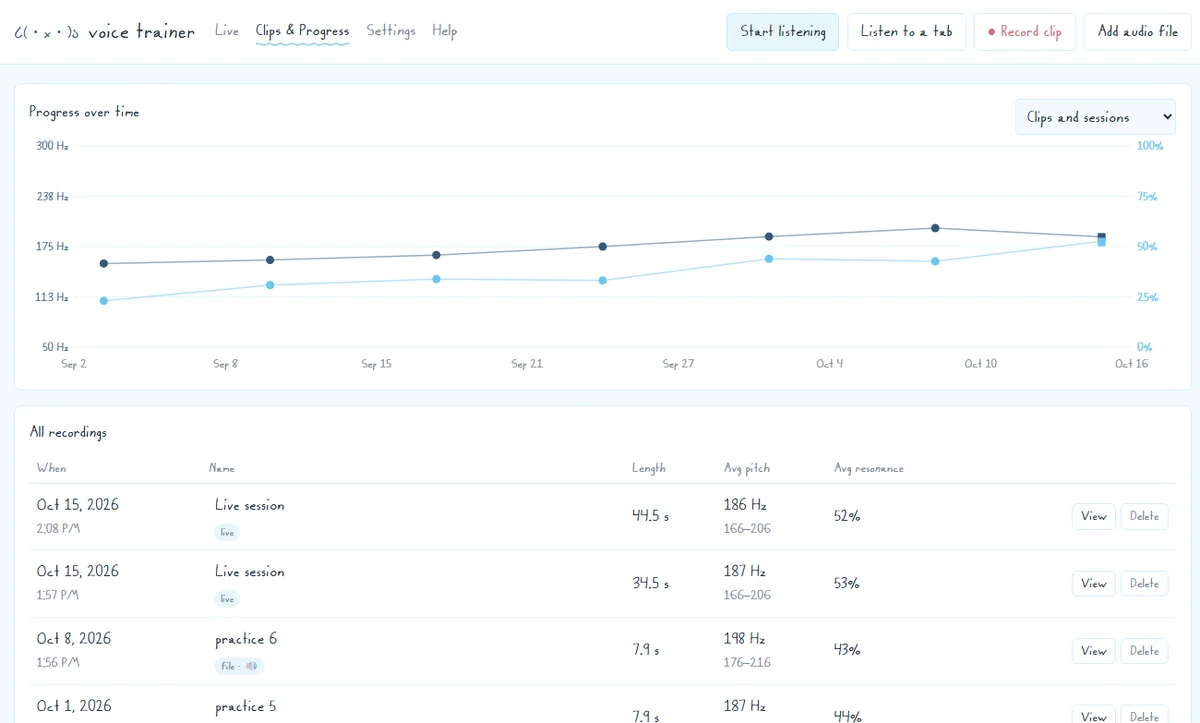 Clips & progress: every recording and session, and how you’re trending.
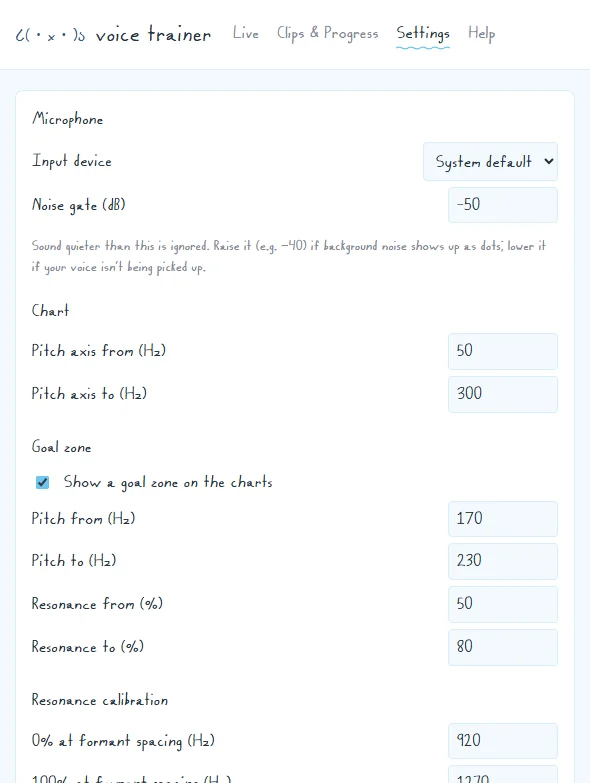 Settings: pick your microphone, set a goal zone and adjust the scale.
The screenshots use a computer-generated test voice, not a real recording.
try it
Download for Windows (zip, 100 KB)
The code is open on GitHub too: SophieReade/voice-trainer.
You’ll need Windows 10 or 11, Python 3 (free; tick “Add python.exe to PATH” when installing) and Chrome or Edge.
- Unzip the folder anywhere.
- Double-click Start Voice Trainer.bat. If Windows warns about a file from the internet, click “More info” and then “Run anyway”.
- Allow the microphone when the browser asks.
It runs a tiny web server that only your own computer can reach, and it closes itself a few minutes after you close the window. Your clips and history are saved in your browser, on your computer only.
Questions or ideas? sophie.reade@icloud.com